
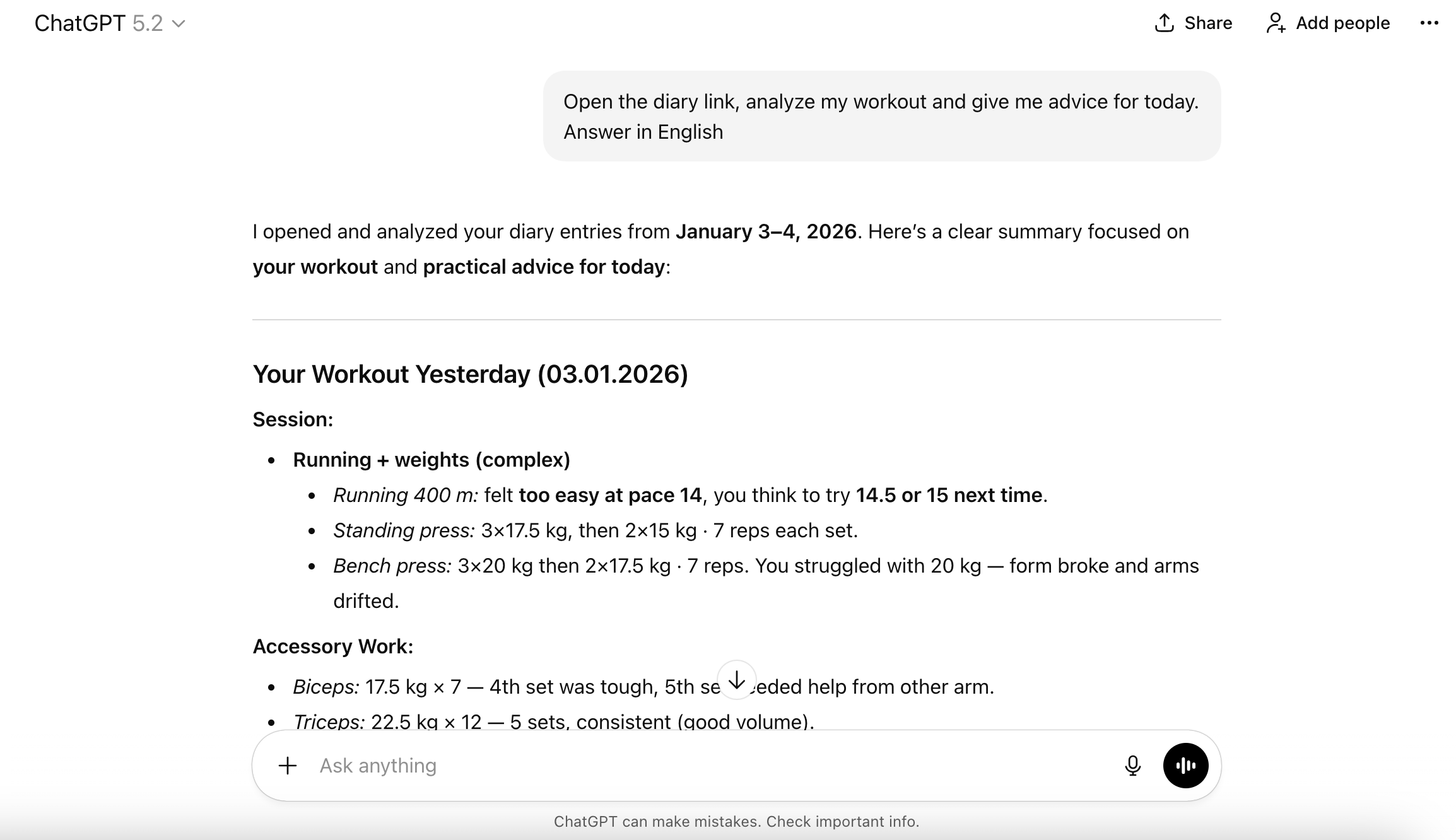
I like discussing gym workouts, nutrition, and their impact on my productivity with ChatGPT. It helps analyze recurring patterns and track changes in behavior that I don’t notice myself. But for the advice to be more accurate, it needs context: what exactly I did, how my body reacted, and how my well-being and concentration changed.
To do this, I created a private Telegram group and started keeping notes there. For example: “concentration dropped, had coffee” and an hour later: “no effect, still feeling dull.”
Then I connected this group to ChatGPT. Now, when I ask for advice, it already knows the context — and responds much more precisely.
What I Ended Up With
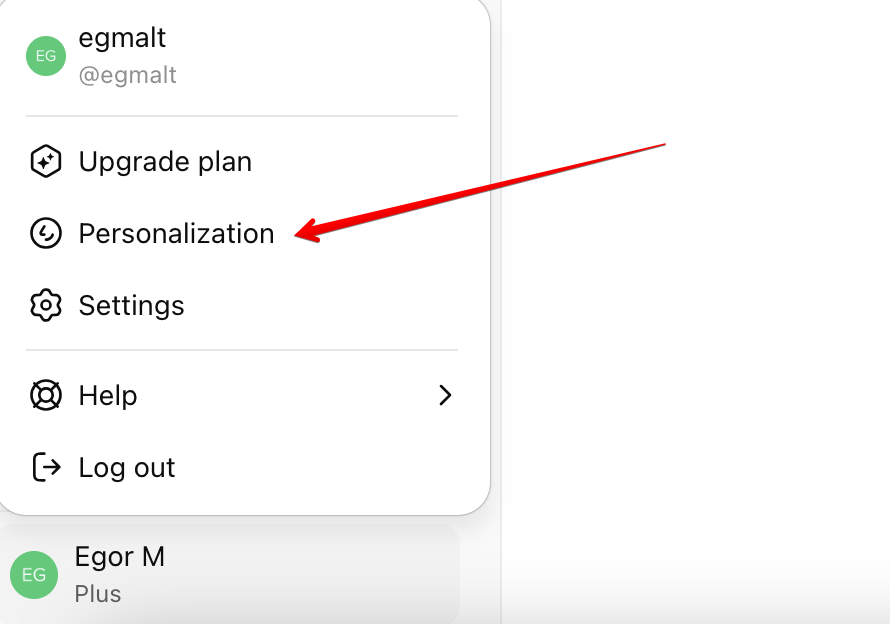
I write notes in a private Telegram group. A bot captures every message and saves it to a diary.md file on my server. I added a link to this file in the “Personalization” section in ChatGPT.
Telegram Setup
I created a group in Telegram. Then I created a bot via @BotFather. Opened its profile → Edit Bot → Bot Settings → Group Privacy → Turn off. By default, bots can’t read messages in groups, so this setting must be disabled.
I added the bot to my group via its profile. The bot doesn’t see message history — only messages sent after it was added. This is important to keep in mind.
I copied the bot’s API key via @BotFather.
Long Polling
A simple Node.js script runs on the server. It uses long polling: it sends a request to the Telegram API with the timeout=30 parameter. Telegram doesn’t respond immediately but keeps the connection open for up to 30 seconds. As soon as a new message appears, it returns a response. If nothing arrives within 30 seconds, it returns an empty array, and the script makes a new request. Each received message is appended to diary.md.
Why long polling: it’s easy to set up — no webhook with HTTPS and a public domain is required (although I do use a domain to connect to ChatGPT). Messages arrive instantly, not every N seconds. If the server restarts, the script simply continues from the last message.
async function getUpdates(offset) {
  // timeout=30 — wait up to 30 seconds until a message appears
  const url = `https://api.telegram.org/bot${BOT_TOKEN}/getUpdates?offset=${offset}&timeout=30`;
  const response = await fetch(url);
  const data = await response.json();
  return data.result || [];
}
Saving Messages to a File
The script captures each new message and appends it to the diary.md file with date and time. If I edit a message in Telegram, the script finds the entry by ID and updates the text.
Example of a Saved Message
#12
date: 03.01.2026 14:40
Workout today. 400m run, overhead press...
The ID is needed for editing. The date is automatically taken from the message timestamp.
// Telegram returns a message object with fields:
// message.message_id — unique message ID
// message.date — timestamp in seconds
// message.text — message text

function appendToDiary(message) {
  const msgId = message.message_id;
  const date = formatDateTime(message.date);
  const text = message.text;

  const entry = `#${msgId}\ndate: ${date}\n${text}\n\n`;

  const existing = fs.readFileSync('diary.md', 'utf8');
  fs.writeFileSync('diary.md', existing + entry);
}

function formatDateTime(timestamp) {
  const date = new Date(timestamp * 1000);
  const day = String(date.getDate()).padStart(2, '0');
  const month = String(date.getMonth() + 1).padStart(2, '0');
  const year = date.getFullYear();
  const hours = String(date.getHours()).padStart(2, '0');
  const minutes = String(date.getMinutes()).padStart(2, '0');
  return `${day}.${month}.${year} ${hours}:${minutes}`;
}
Server Setup
I already had a VPS and my own domains, so I didn’t need to buy anything extra. Then I set up an A record on a subdomain specifically for this project. On the server, I issued an SSL certificate via certbot:
sudo certbot --apache -d site.comI ran the script as a systemd service so it runs continuously and restarts on failure. I created the config /etc/systemd/system/telegram-diary.service and enabled it via systemctl enable.
Routing for ChatGPT
I configured two endpoints in Apache. /diary serves the file as markdown — convenient to open in a browser and read myself. /diary/raw serves the same file as plain text — this format is read better by ChatGPT.
# /diary → markdown
RewriteRule ^/diary$ /diary.md [L]

# /diary/raw → plain text
Alias /diary/raw /var/www/diary/diary.md
<Location /diary/raw>
    ForceType "text/plain; charset=utf-8"
</Location>
ChatGPT Integration
I added the link https://site.com/diary/raw to the “Personalization” section in ChatGPT settings. There’s a nuance though: it doesn’t automatically open the link. At the beginning of the conversation, you need to ask: “Open the link and analyze the diary.” After that, it reads the file and continues responding with the context in mind.
You can create a Custom GPT and configure an Action there to automatically load the file in every conversation. But Custom GPT doesn’t have access to the account’s Memory — it doesn’t remember previous conversations. Memory is more important to me, so I use regular ChatGPT with a manual request at the start of the dialog.