I like listening to podcasts from YouTube and other video platforms on my commute. I used to pay for YouTube Premium so I could put my phone in my pocket without worrying about accidental taps.
Then I built a simple app that locks the screen with one tap via a control in the notification shade. You can download it for free.
Download APKHow to Install
1. Google Play Protect. If you get a warning during install — tap “More details”, then “Install anyway”. The app isn’t on the store; I made it for myself and friends.
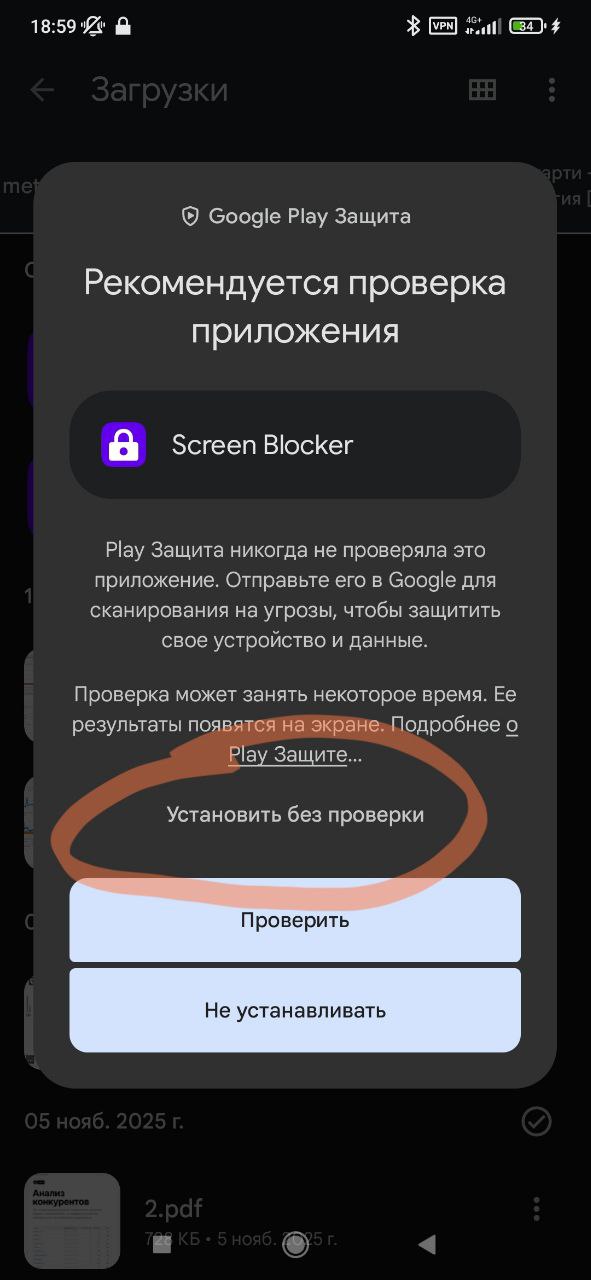
2. “Display over other apps” permission. On first launch you need to grant “Display over other apps”. The app draws a transparent layer on top of everything — it catches all taps so the screen doesn’t respond.
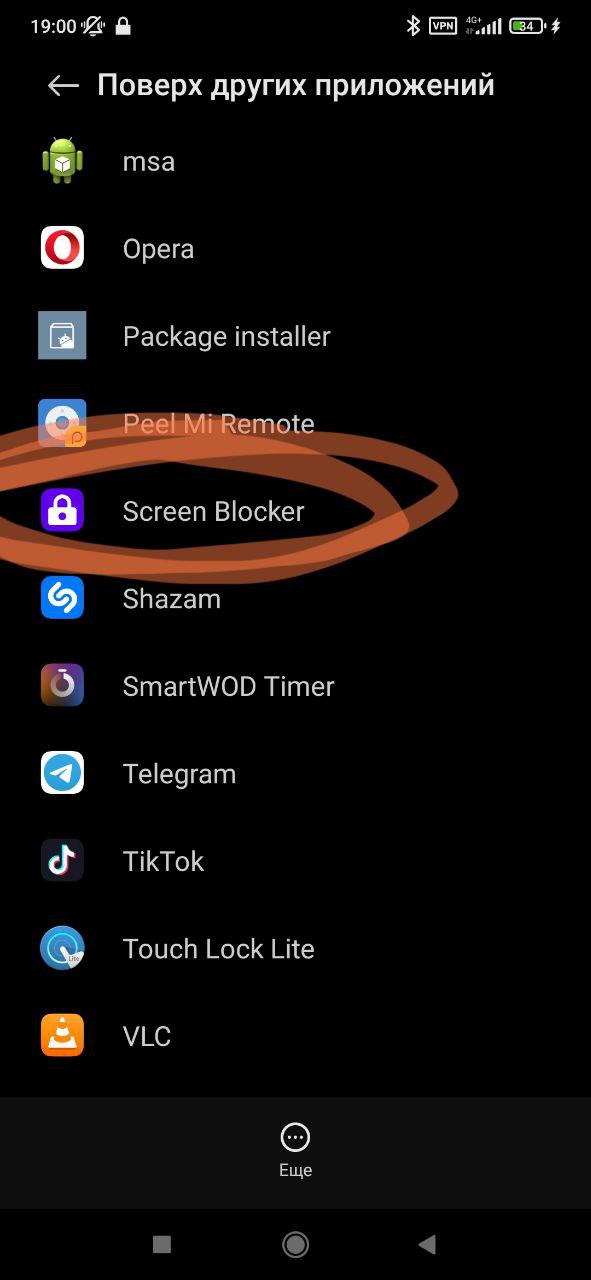
3. How to use it. Open the app and tap “Start” — a notification will appear in the shade. Play a video (YouTube or anything else), pull down the notification shade and tap the Screen Blocker notification. The screen is locked; you can put the phone in your pocket.
To use the screen again: lock and unlock the phone — the overlay will disappear. Or turn off the lock by tapping the same notification in the shade.